Arc Browser Windows Alternative: Achieving 'Arc Preview' Functionality on Chrome/Edge
The Arc browser has captivated a large number of macOS users with its unique "link preview" feature. However, the Arc browser for Windows has not yet been released, leaving many to switch tabs and jump between mainstream browsers like Chrome and Edge, which greatly diminishes their user experience compared to using Arc.
This article recommends a fantastic tool—NoTab, a browser extension that allows you to enjoy the Arc browser's iconic "preview" experience on Chrome/Edge without waiting for the Windows version of Arc.

What is NoTab?
The one-sentence introduction on the NoTab official website sums it up perfectly:
Preview link content directly on the current page without opening a new page.
You can think of it as a way to "empower the preview experience of Arc" on Chrome and Edge with just one plugin, allowing you to quickly preview links, articles, and even videos on homepages, search pages, forums, and document management, thus significantly improving efficiency and reading experience.
What can NoTab do? One-click access to Arc preview's core experience
1. Preview any link directly on the current page
After installing NoTab on Chrome or Edge, when you come across an interesting link, you don’t need to right-click to "open in a new tab," nor do you have to force a page override. Just use "mouse drag" or a custom shortcut to display the link's content as a floating window directly on the current page.
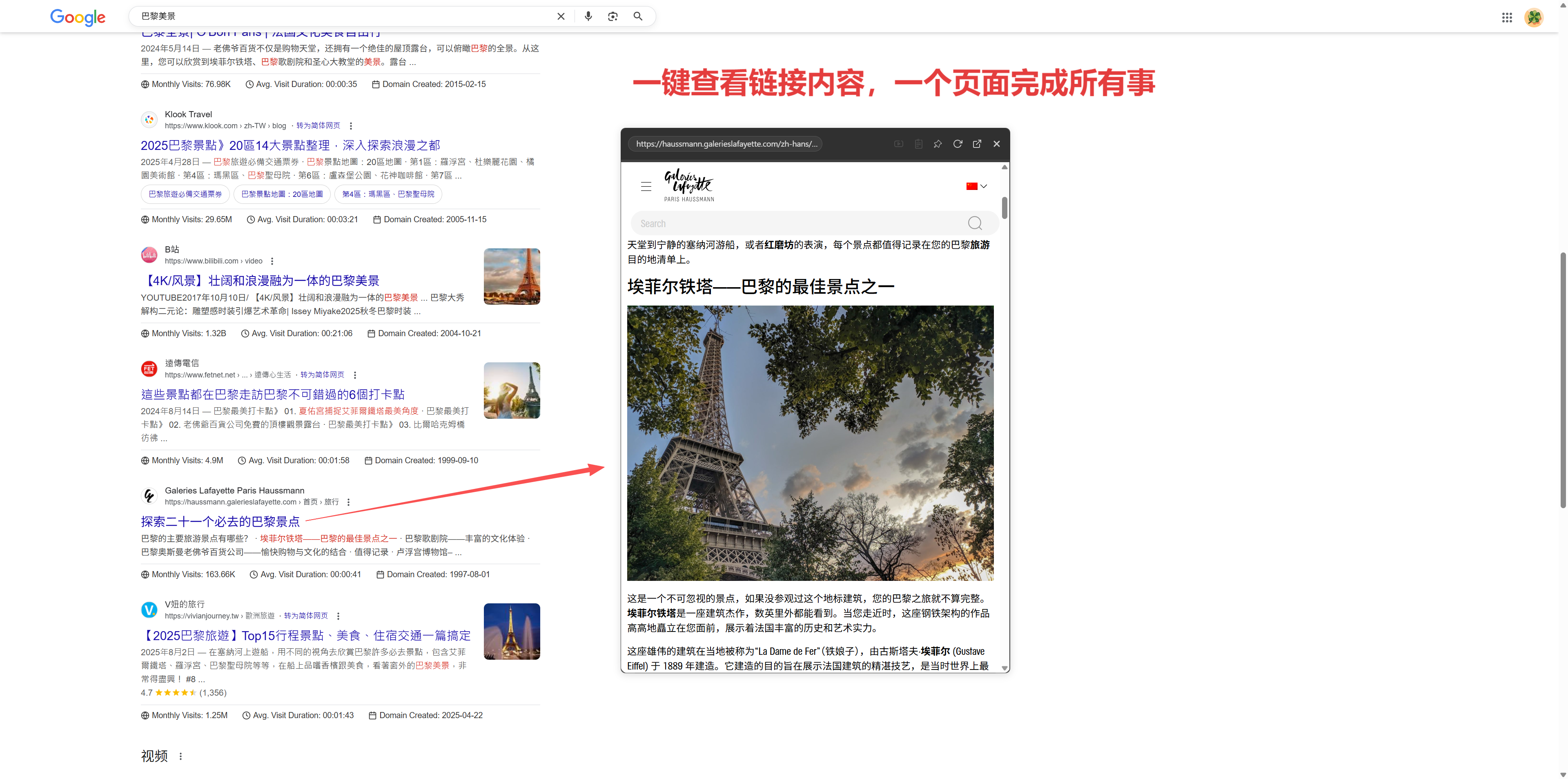
Whether it's a webpage, a forum post, an article detail, or a video from a video site, NoTab allows you to "see it all without interrupting your current browsing flow."
2. Simultaneous preview of multiple links for efficient comparison on one screen
If you are researching, comparing content, or looking for strategies, NoTab supports "multiple link drag and simultaneous preview," allowing you to display several floating windows side by side for content comparison and on-screen browsing, eliminating the need to frequently switch tabs.
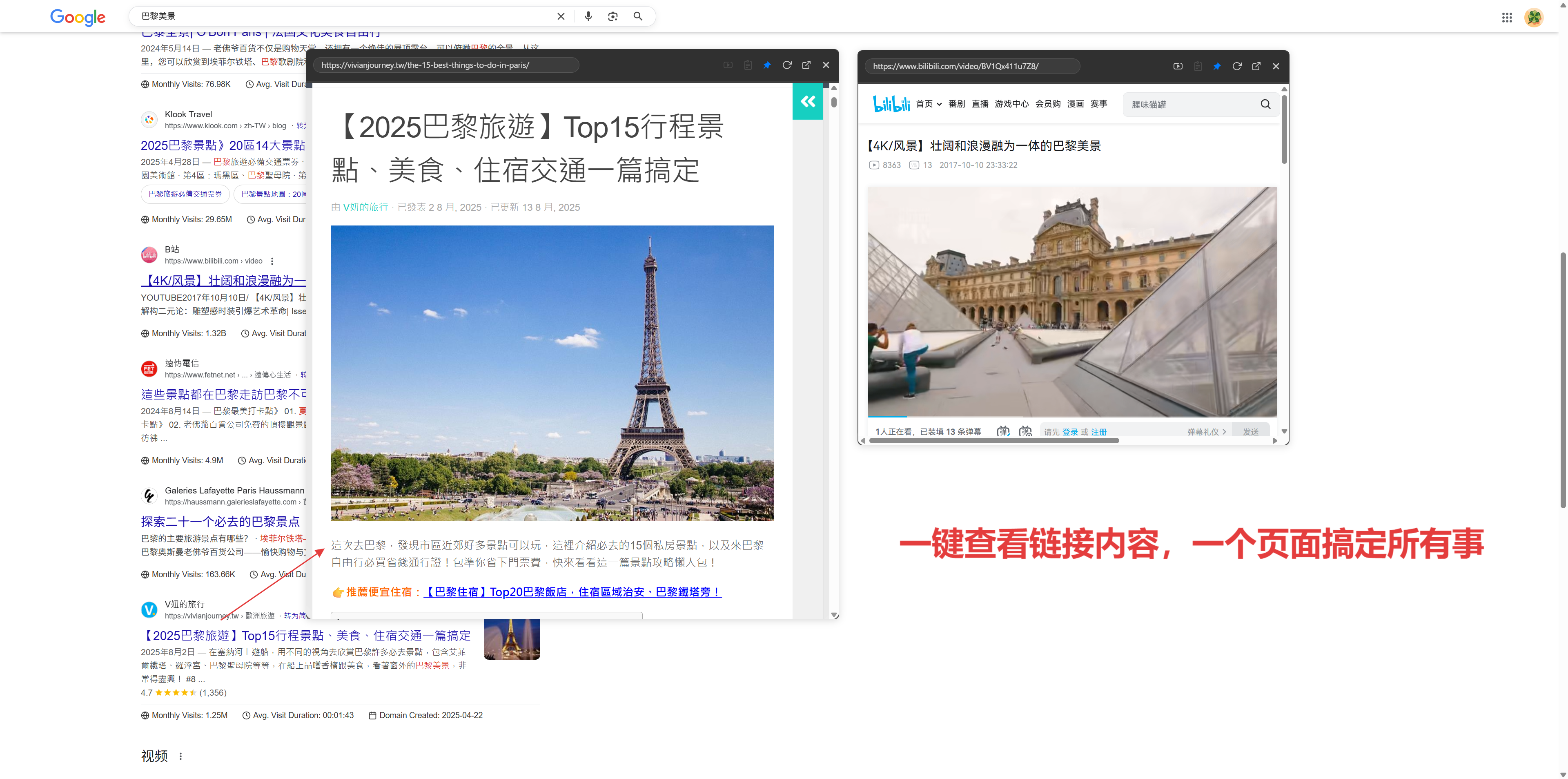
This feature is referred to as "Peek" in the Arc browser, and with NoTab, you can easily achieve this in a regular browser.
3. Continue browsing internal links without losing your flow
The NoTab preview window not only supports browsing external links but also allows you to click to continue navigating and exploring more content within the floating window, greatly enhancing the reading experience on forums, blogs, and documents without the need for multiple pop-ups.
4. Powerful quick search and inline translation function
When encountering unfamiliar terms or jargon, simply "drag and select" the text, and NoTab can immediately pop up to search and show results from Baidu/Google/Wiki without opening a new window. It supports built-in translation, making temporary word checks especially convenient.

5. Immersive video watching, allowing video to be freely dragged in a small window
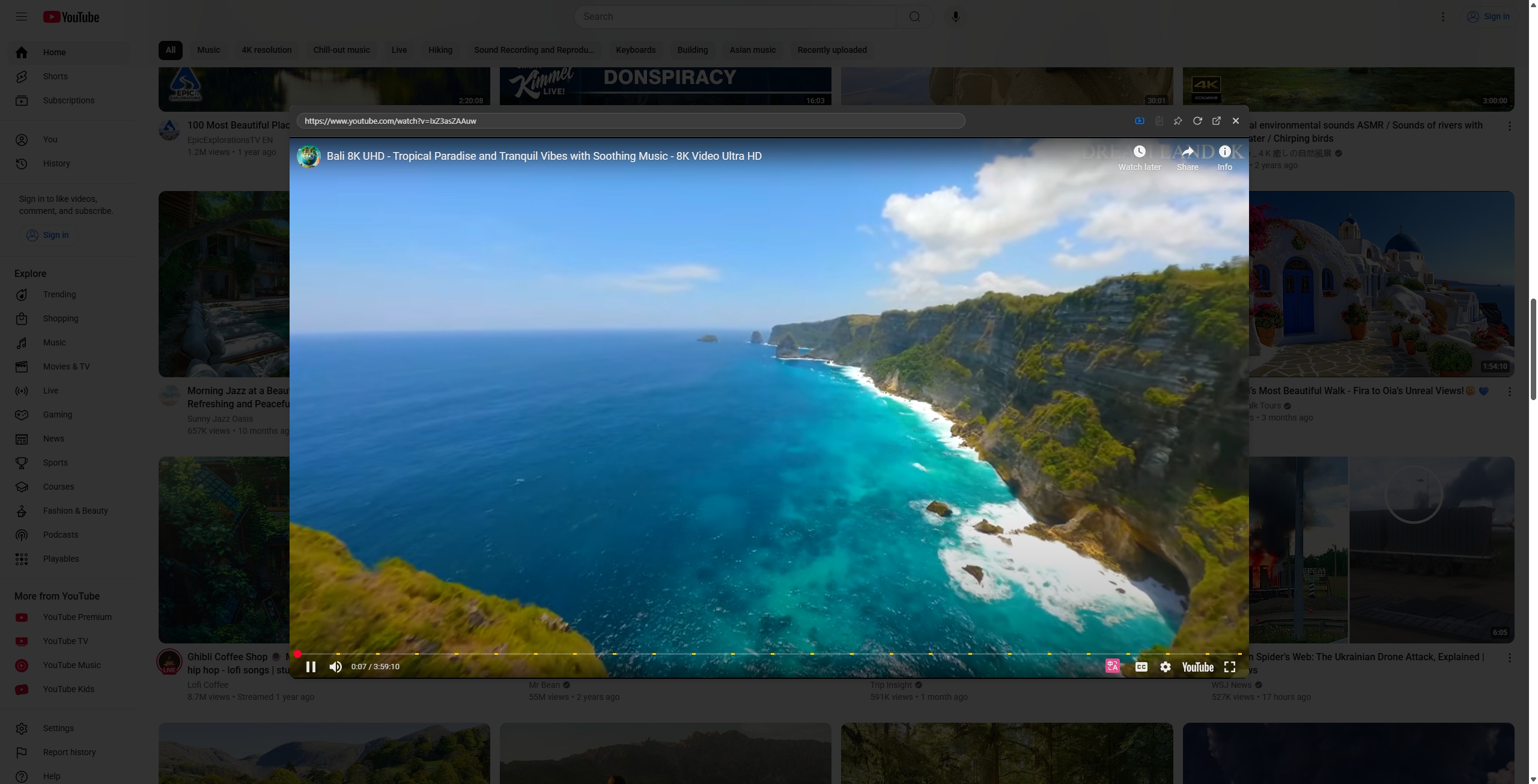
For example, if you come across an interesting video on YouTube or Bilibili, dragging the link will allow for floating window playback. You can adjust the size, position, corner radius, and background transparency of the window, making it "semi-transparent floating" beside your content, enabling you to watch videos while viewing webpages without ever needing to "lose focus from the current page."
6. Customizable window styles to fit your aesthetic
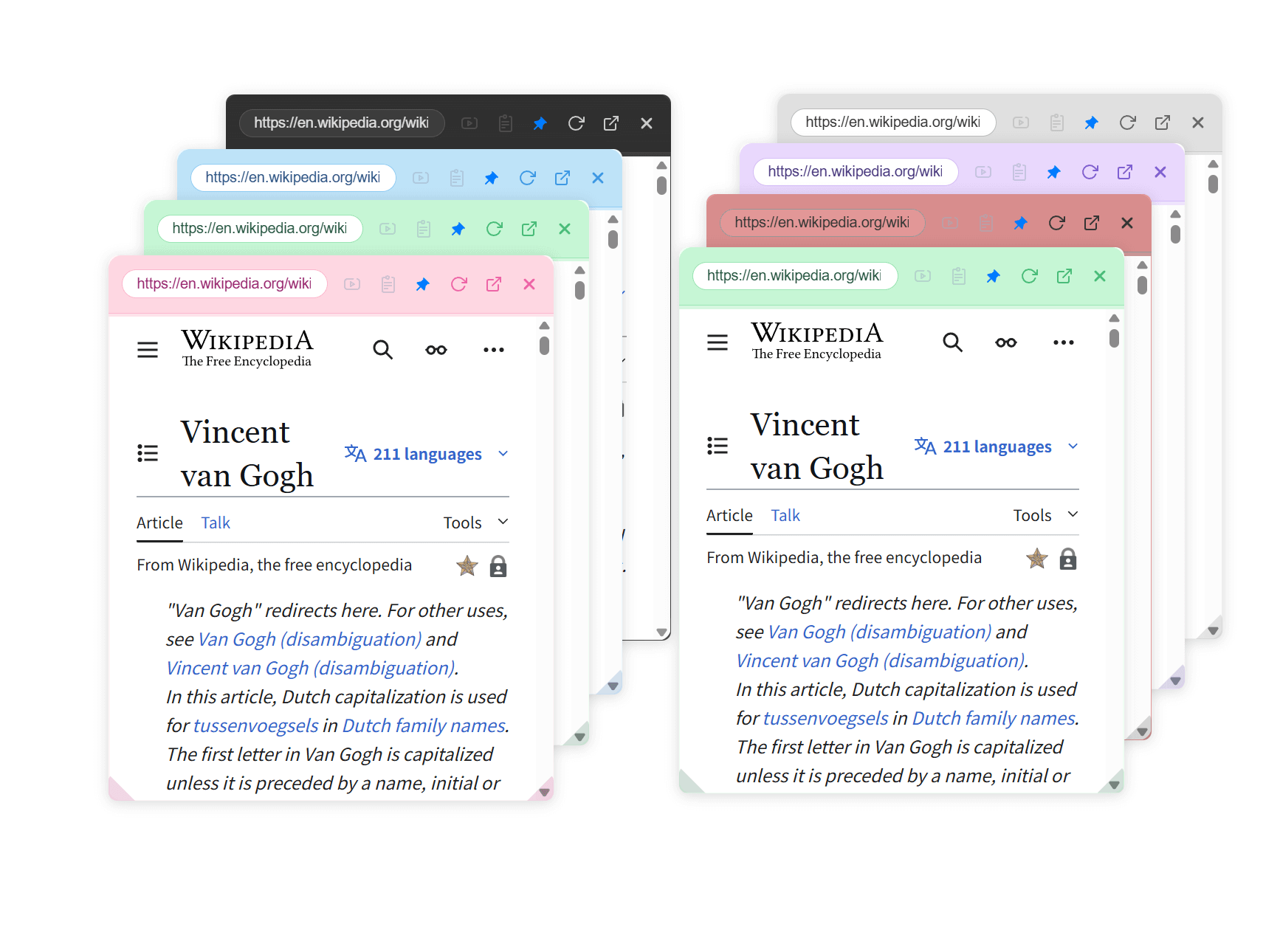
NoTab supports various themes and custom settings. You can adjust the color, corner radius, transparency, size, and diverse themes of the floating window, allowing it to match different styles and truly make the "preview window" your second line of sight.
Example Scenarios: How NoTab Enhances Your Browsing Experience?
Researching and Comparing Content
When faced with a multitude of search results, you can simultaneously drag multiple links out to compare key content—boosting efficiency explosively.

Browsing Forums and Checking Posts
For instance, on platforms like Zhihu, Reddit, and V2EX, you can see posts in a floating window, and after reading, return to the homepage without losing your place, making the scrolling through posts much smoother.
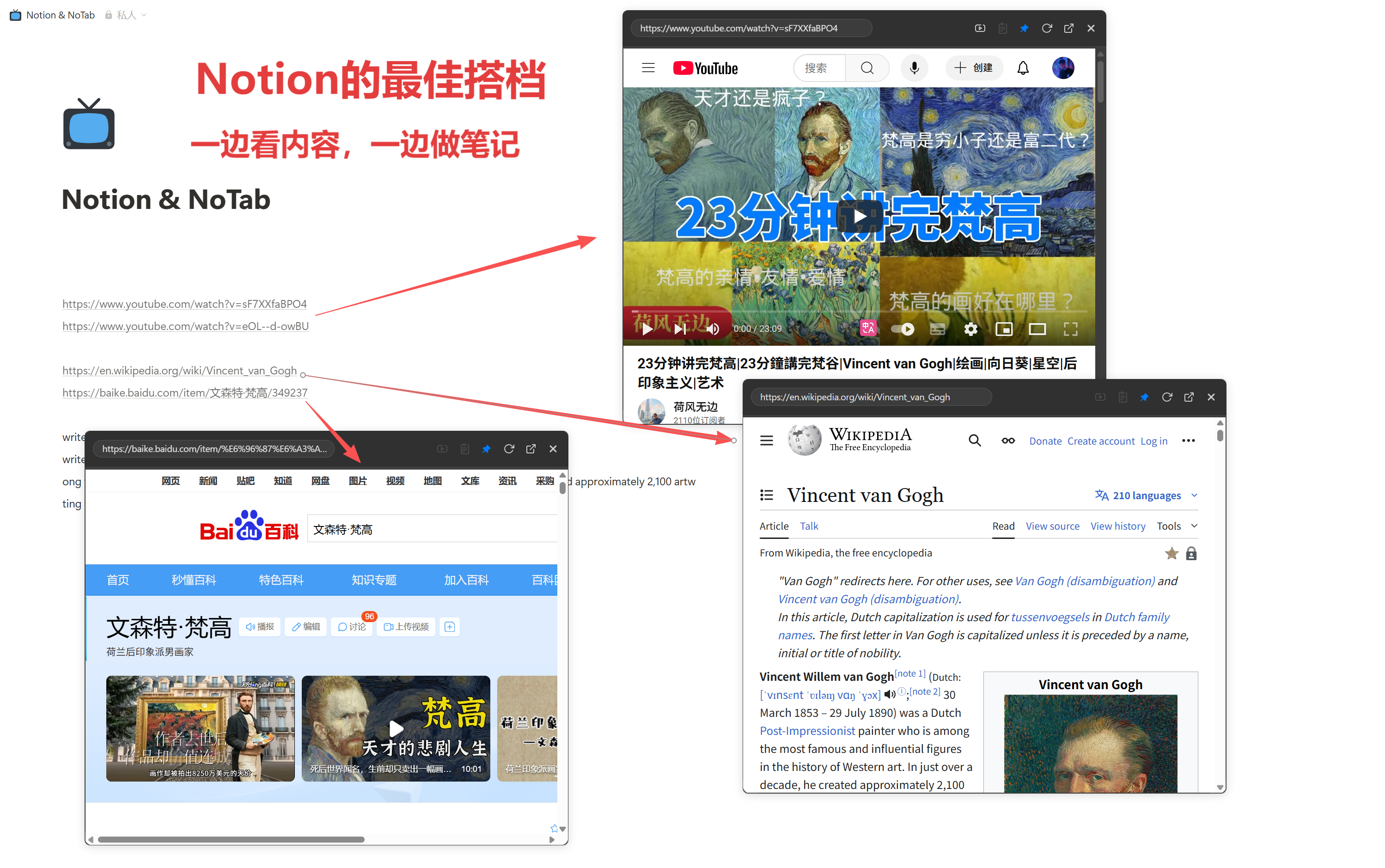
Creating a Seamless Preview Experience with Notion
Used in conjunction with Notion, previewing links/internal pages gradually transforms into a powerful content management tool.
Temporarily Checking Words and Translations Without Losing Train of Thought
Selecting words allows you to directly pop up a search or translation, all without switching pages, keeping everything seamless.
E-commerce Browsing/Comparison is also Possible
When checking parameters, comparing reviews, or finding discounts, you can preview multiple product details side by side, saving time and improving efficiency.
Why Recommend NoTab? Core Philosophy: Less Switching, Less Waiting, Less Disruption
The "Peek" feature of the Arc browser is appreciated for making browsing flow smoother. However, since Arc has yet to come to Windows, NoTab serves as the best alternative, upgrading your Chrome and Edge with the efficiency and experience akin to Arc.
The design behind NoTab aims to solve the inefficiencies of switching between traditional tabs—when the floating window pops up, the content is immediately visible; researching, watching videos, and comparing content can all be completed on the current page.
Usage Notes and FAQs
- Resource Usage: NoTab is designed as a lightweight plugin that only activates during use; you can close the popup when you’re done, ensuring smooth performance without stuttering.
- Supported Websites: Most common sites are compatible, including various news, community, document, and e-commerce platforms. You can provide feedback on unsupported sites, and the author is continuously working on compatibility.
- Free/Paid: NoTab offers a free version (with a daily usage limit that resets the next day) as well as a one-time purchase Pro version for just 19.9 yuan.
Conclusion: Evolve Chrome/Edge into Arc Without Waiting for the Official Version
NoTab is the most reliable Windows alternative for Arc's preview feature; by installing just one plugin, your browsing experience can become as advanced, smooth, and efficient as that on macOS with Arc.
Feel free to experience and provide feedback: NoTab Official Website