Alternatives to OneTab: Reducing Tabs is More Efficient Than Organizing Them!
It is well-known that OneTab is a classic plugin in the field of browser tab management. When we have too many tabs and the browser slows down, OneTab can help us "store" all tabs with a single click, allowing us to reopen them when needed. While this seemingly solves the problem of "cluttered tabs," in reality, we are merely shifting from "too many tabs" to "over-organized tabs." A truly efficient browsing experience should focus on reducing the generation of tabs from the source.
This is the original intention behind NoTab: since opening and closing tabs can be cumbersome, why not directly preview all content on one page?

What is NoTab?
NoTab is a browser plugin that allows you to directly preview link content on the current page, eliminating the need to open new tabs each time. This includes web pages, articles, and even videos. It enables you to drag and drop links to open a floating window, allowing simultaneous preview of multiple links and continued browsing of internal pages within the floating window—completely freeing you from the hassle of tabs cluttering up your workspace.
Why is “Reducing Tabs More Efficient”?
- Fewer Tabs = Less Confusion, eliminating the need for frequent organization and categorization.
- Stay focused on the current page, resulting in smoother information flow.
- Regain clarity of thought each time you browse, without fear of not finding your way back.
- Side-by-side comparison of multiple links is far more efficient than tab switching.
- Clearer browsing history, with no fear of losing important information.
Core Functions of NoTab
1. Lightning-Fast Preview of Link Content
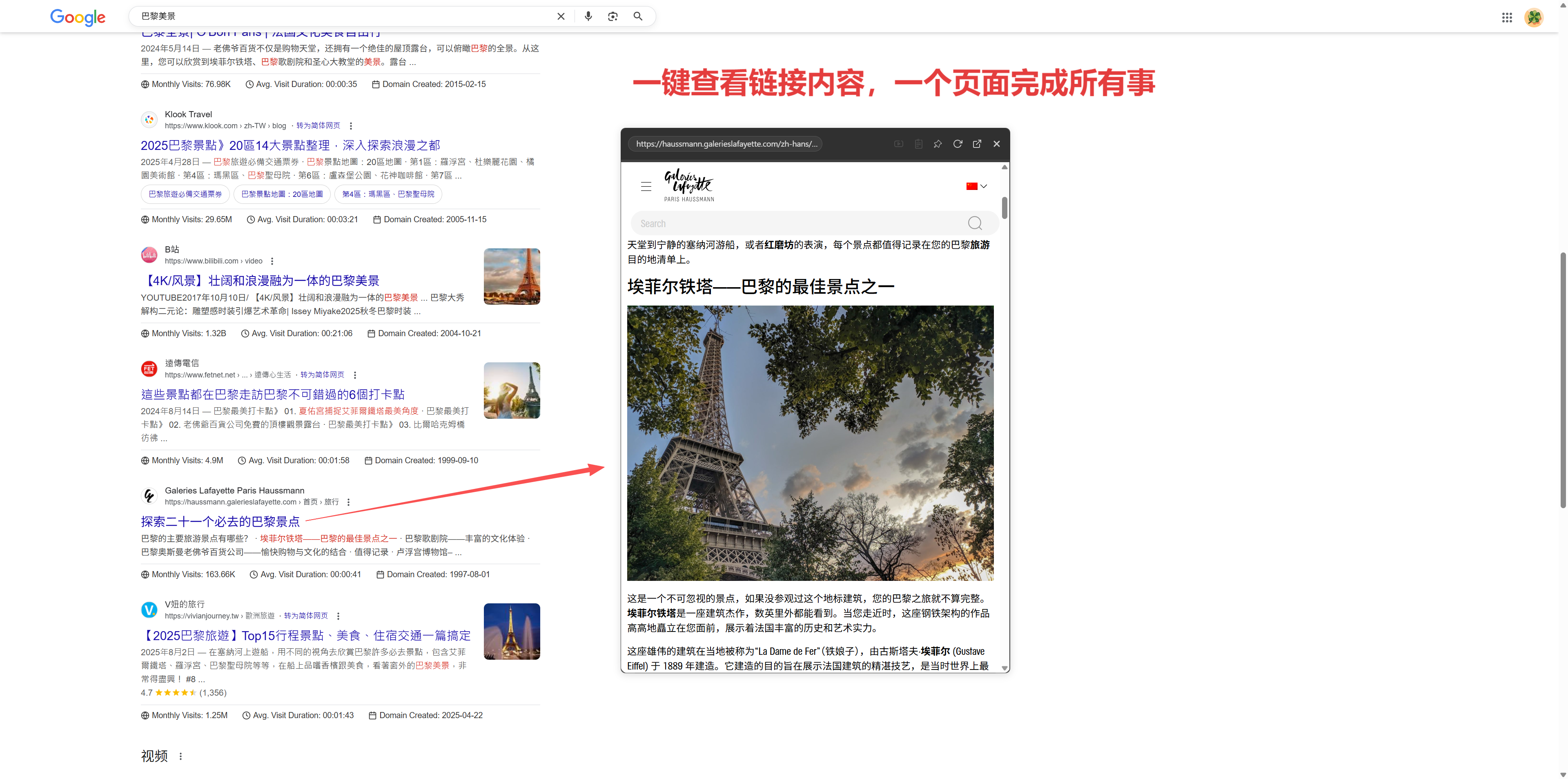
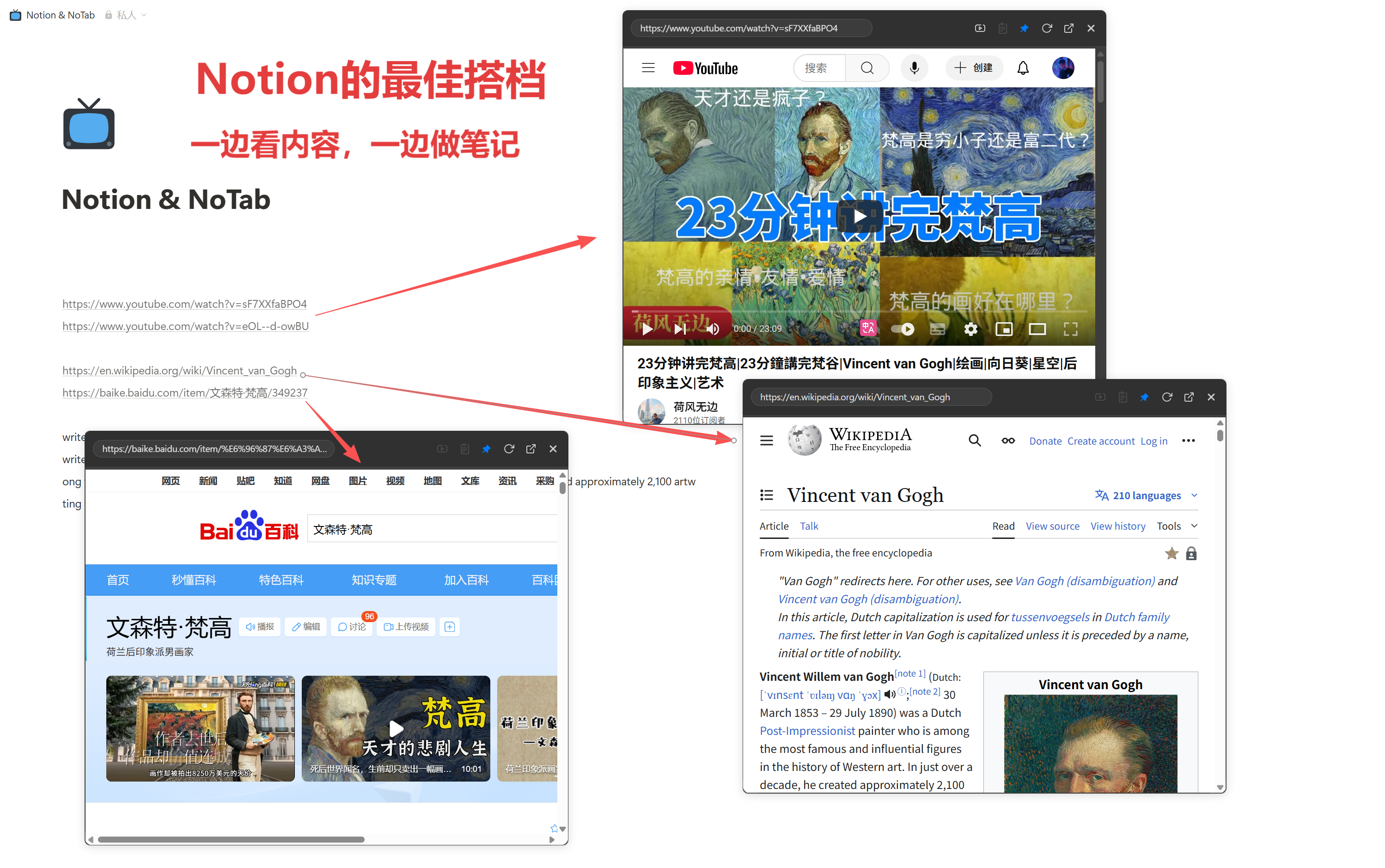
On any webpage, you can drag and drop links to open a small window that displays the target link's content directly. For instance, on information flow websites (like Zhihu, Reddit, Weibo, etc.), dragging a question or post instantly opens the floating window without needing to navigate away from the page.
2. Simultaneous Preview of Multiple Links for Powerful Comparison
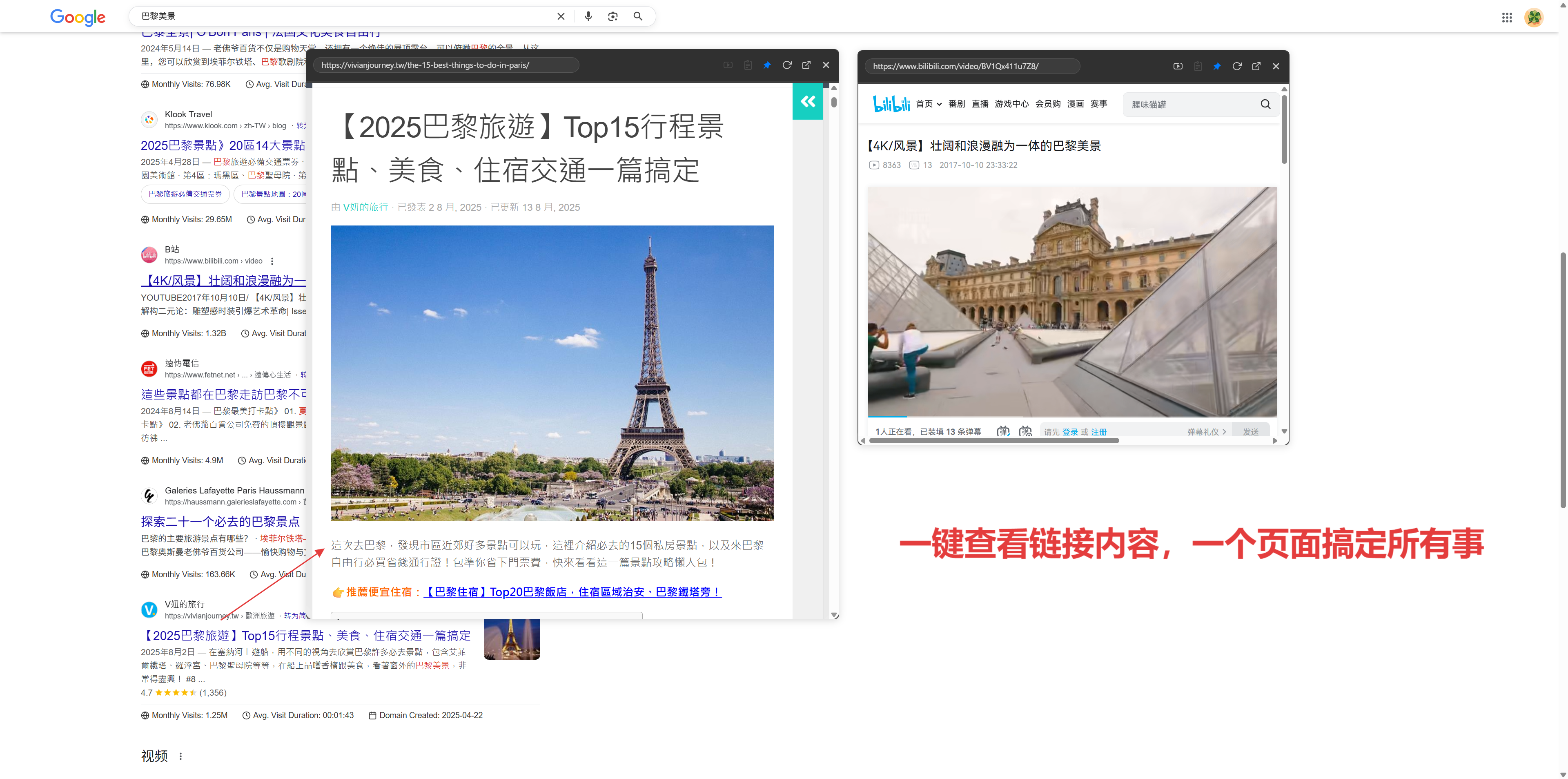
NoTab supports opening multiple floating windows at once, which can be freely dragged and arranged. For example, when shopping, you can open multiple links simultaneously for easy price comparison. Similarly, when researching, you can preview all candidate articles side by side, eliminating the need for constant switching.

3. Continue Browsing Internal Links Seamlessly
You can click internal links within the floating window and continue browsing without interruption, eliminating the hassle of "jumping to a new tab". This allows for in-depth exploration of posts or documents without leaving the main page.
4. Quick Search and Translation, Easy Lookup
Encounter unfamiliar terms or jargon? Simply select and drag, and a search window will pop up. The results are instantly displayed without interrupting your browsing flow. Quick translation is also supported, so you don’t need to open new tabs to consult dictionaries for foreign language content.

5. Immersive Video Playback, Convenient Viewing and Browsing
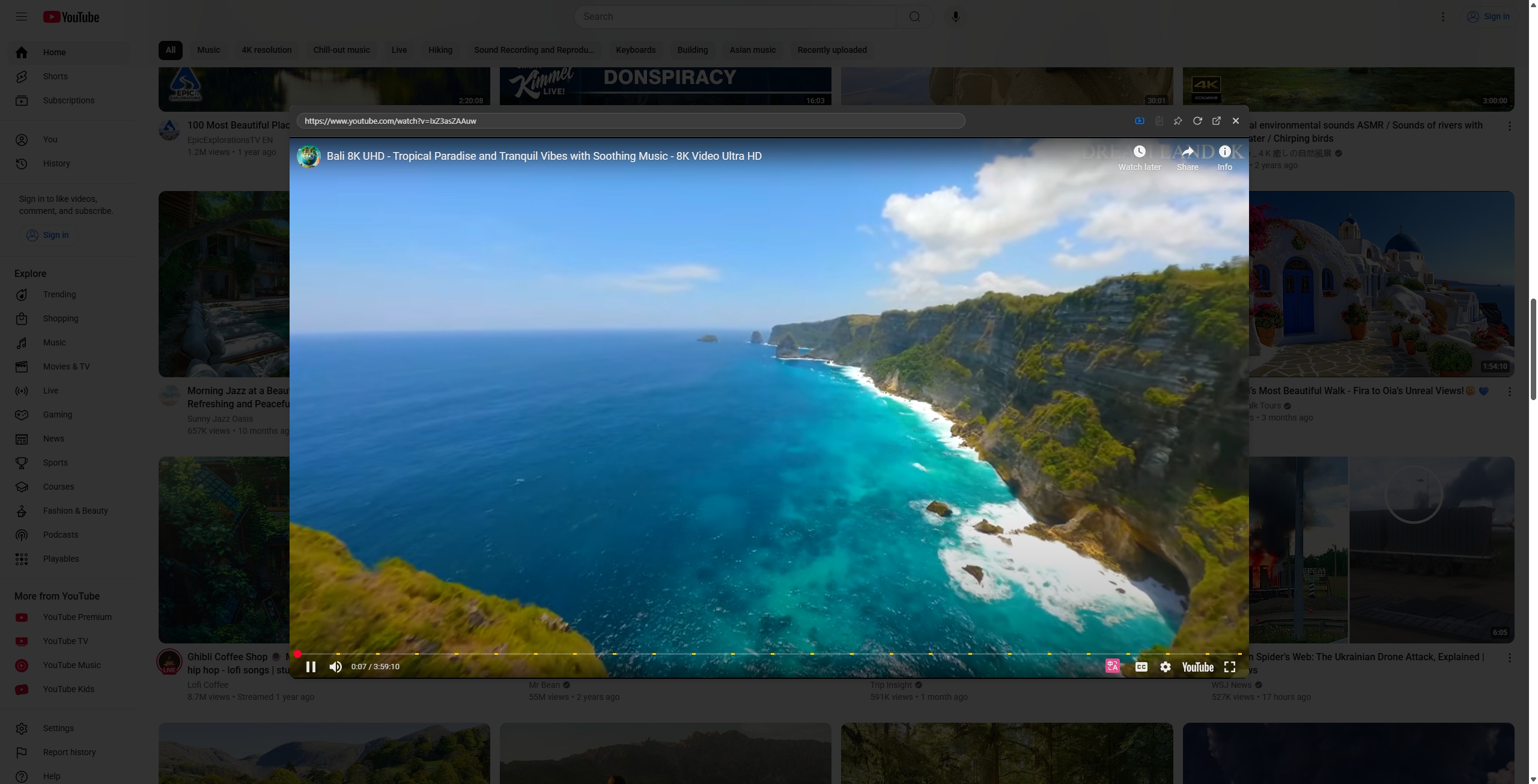
NoTab supports a floating playback mode for video content. On pages like YouTube, Bilibili, and Douban Video, you can adjust the size and transparency of the floating window, allowing you to watch videos while browsing simultaneously. You can even minimize the floating window and fix it in a corner, balancing work and entertainment seamlessly.
6. Diverse Themes for Personalized Customization
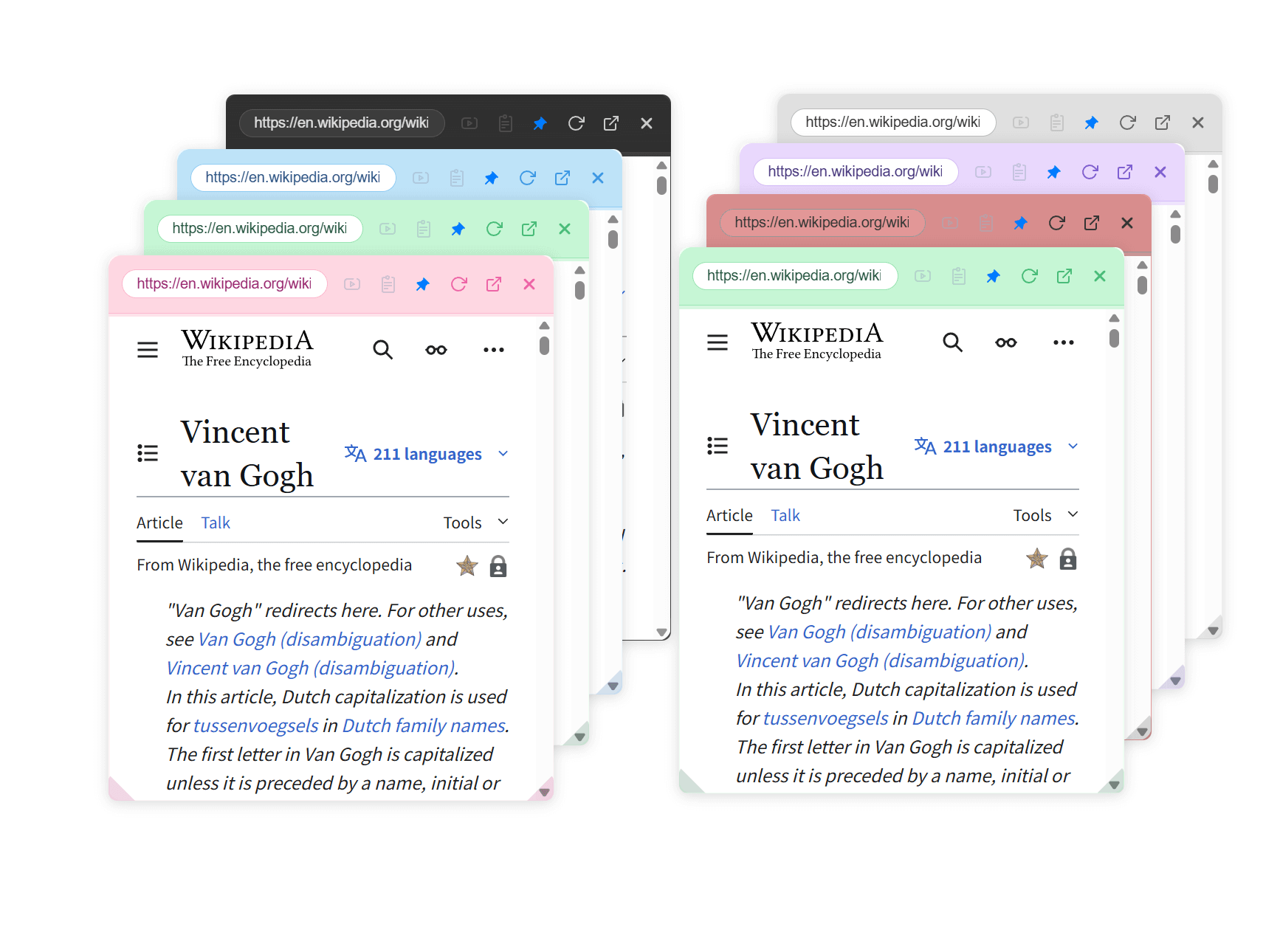
NoTab supports various themes and style settings. You can adjust transparency, rounded corners, size, and color schemes according to your preferences, catering to different scenarios like work, entertainment, or dark mode.
Scenario Examples: NoTab Leads Efficient Browsing
- Academic Research: When searching on Google, simply drag a link to quickly preview the content of papers or articles, which is much more efficient than repeatedly cycling through tabs.
- Browsing Forums: On sites like Zhihu or Reddit, you can see several posts at a glance. Dragging any interesting ones to open in a floating window allows you to explore the forum without getting lost, and you won’t have to worry about "stacking too many tabs."
- Comparing Multiple Documents: When using documentation platforms like Notion or Google Docs, NoTab makes it very convenient to preview documents and notes.
User Experience and Background Story
Initially, NoTab was just a small tool created to "reduce tabs for personal use." Over time, there have been many user feedback responses, such as "wanting to open more windows," "needing search and translation features," and "wishing for immersive video playback." These functionalities have been gradually added.
The concept behind NoTab is simple: “Reduce switching, reduce waiting, reduce distractions; all to make information flow more naturally.”
Frequently Asked Questions
Q1: Will NoTab slow down the browser?
NoTab is very lightweight; it only activates the floating window when you interact with it and does not run in the background for extended periods. Even with multiple windows open, it should not significantly impact performance.
Q2: Which websites are supported?
Most common websites are supported, including news sites, blogs, forums, search engines, e-commerce, and documentation sites. If you encounter any incompatible websites, feedback to the developers will usually yield a quick adaptation.
Q3: How can I get more usage rights?
NoTab offers a free version (with daily usage limits, refreshing the next day) and a one-time payment Pro version (one-time fee for lifetime use, priced at only ¥19.9), which is friendly and transparent.
Summary
Organizing tabs with OneTab has its merits, but a more efficient way is to—eliminate the need to open so many tabs in the first place! NoTab greatly simplifies the browsing process, making your information consumption faster, more direct, less disruptive, and more organized. If you are troubled by tabs, NoTab is a solution worth trying.
Try it now: https://notab.pro/